Most Bible study apps have the same problem: they’re services, not software. YouVersion, Bible.com, Logos — your data lives on their servers, your annotations are locked in their format, and the AI features (where they exist) are running on their API budget and subject to their terms. Logos is genuinely powerful but costs hundreds of dollars and runs on Windows. Nothing in the space is self-hosted, open, and built for people who actually want to run their own stack.
That’s what I built ScriptKata to be. The tagline is Scripture, practiced. One Docker container, your own API key, your own data.
The Engine Under the Hood
The text side is built on the CrossWire SWORD engine via node-sword-interface. SWORD is the same library behind Ezra Bible App and Xiphos. It’s not a hand-rolled Bible database or a JSON file scraped from somewhere — it’s the actual C++ engine that the scholarly open-source Bible community has maintained for decades, with native bindings in Node.js.
What that buys you: access to the entire CrossWire module repository. Hundreds of Bible translations, dozens of commentaries (Clarke’s, Matthew Henry, Henry Alford), Strong’s Greek and Hebrew lexicons, cross-reference databases like TSK, dictionaries, general books, daily devotionals. Install any of them from the Admin panel. They all show up in the workspace panes automatically.
The first build is slow because it compiles the SWORD C++ library from source during npm install. After that, Docker layer caching keeps the compiled engine and rebuilds are fast.
The Cell: A Window Manager for Bible Study
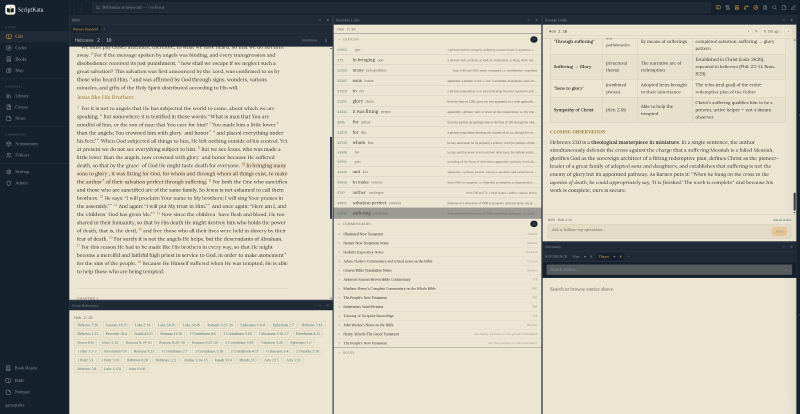
The main reading environment is called the Cell. It’s a tiled workspace where panes dock into resizable columns and rows. Each pane has a type: Bible, Commentary, Dictionary, Cross-References, Passage Guide, Search Results, or Documents. You open as many as you want, resize them, drag them around, and assign them to sync groups so panes with the same colored dot navigate together.
It’s a small window manager purpose-built for how serious Bible study actually works: you want your primary text, a commentary on the same passage, the Greek lexicon for a word you’re looking at, and your notes all visible at once without flipping between tabs.
A few things worth calling out specifically:
Interlinear mode toggles any Bible pane into a word-by-word stacked view: English word on top, Strong’s number in the middle (clickable for full definition, morphology, and cross-references), transliteration below. Works for any module with Strong’s tagging.
Parallel translations let you add a second or third translation alongside the primary one inside a single Bible pane.
Smart reference detection means the search bar navigates directly on a valid reference (John 3:16, Romans 8:28-30, John 3:16-4:2) and runs full-text search otherwise. No mode switching.
The AI Features
The AI side uses the Anthropic API with your own key. You set ANTHROPIC_API_KEY in .env and that’s it — no routing through my infrastructure, no usage limits beyond your own account, no data leaving your instance except what you explicitly send to Claude.
There are three distinct AI tools:
Study Assistant is a persistent chat panel grounded in whatever you actually have open: the passages in every Bible pane, the commentary text, your saved notes on the current passage. Context is rebuilt before each message. It’s not a generic “ask anything about the Bible” chatbot — it knows the specific text you’re reading and the notes you’ve taken. Any reply can be saved as a note or a personal dictionary entry with one click.
Word Study targets a single Strong’s-tagged word. Click any tagged word in the text, and it takes the lexicon definition, morphology, and every occurrence of that Greek or Hebrew word across the whole Bible as context, then generates a structured study. The result saves to your personal My Word Studies module.
Phrase Study works across a text selection. Choose any span of words and study it by exact English wording or by the underlying Strong’s sequence, which finds the same original words regardless of which translation you’re reading.
There’s also the Codex: a topical reference search that queries all your installed SWORD dictionaries, general books, Wikipedia, and Merriam-Webster simultaneously, plus a Claude-generated overview for any term. Think of it as a one-search-bar entry point to everything installed on your instance.
Scriptoriums and Studies
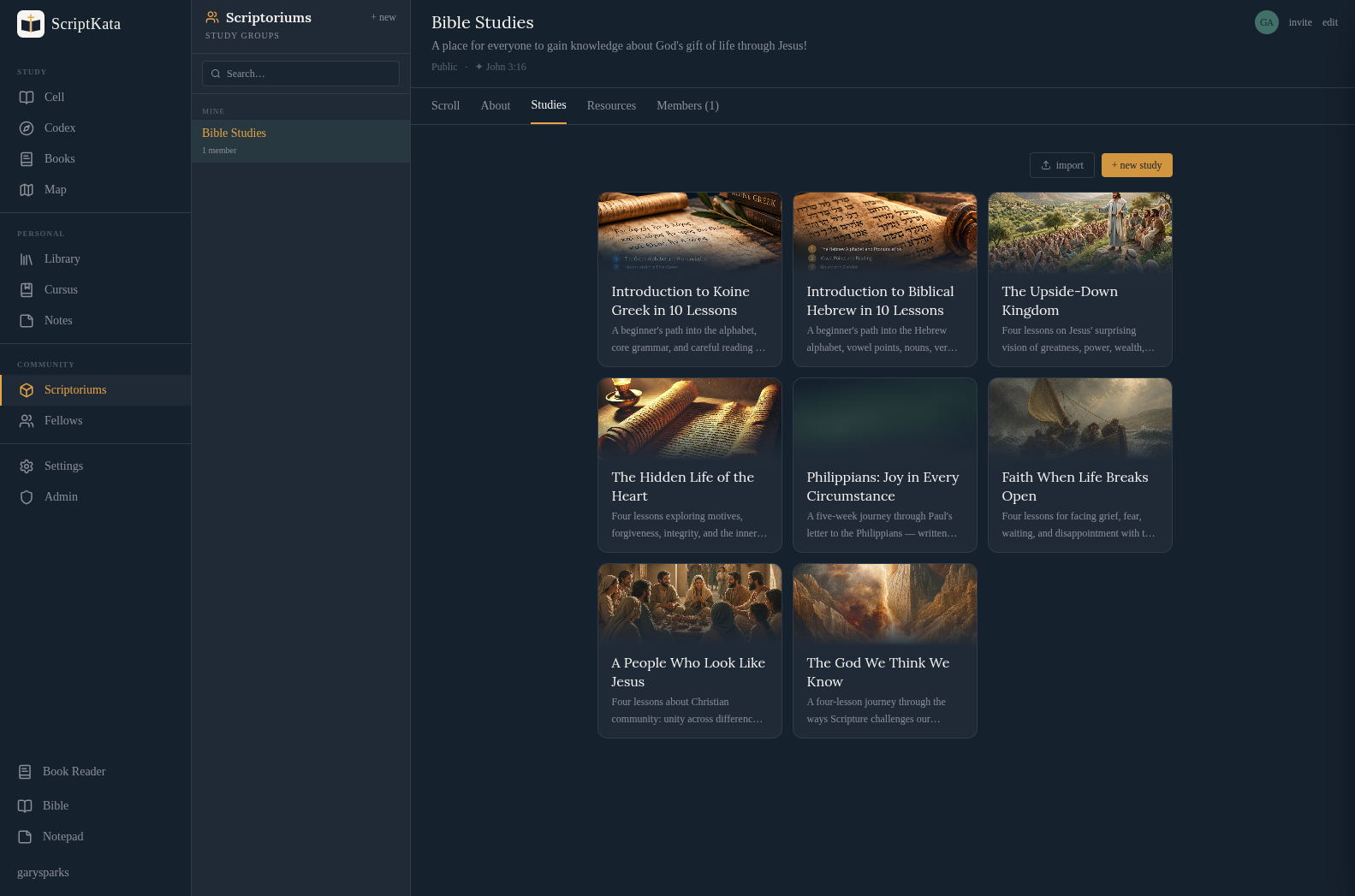
The social layer is built around Scriptoriums: invite-only or public study groups with a shared feed, member management, resources, and a daily devotional sidebar.
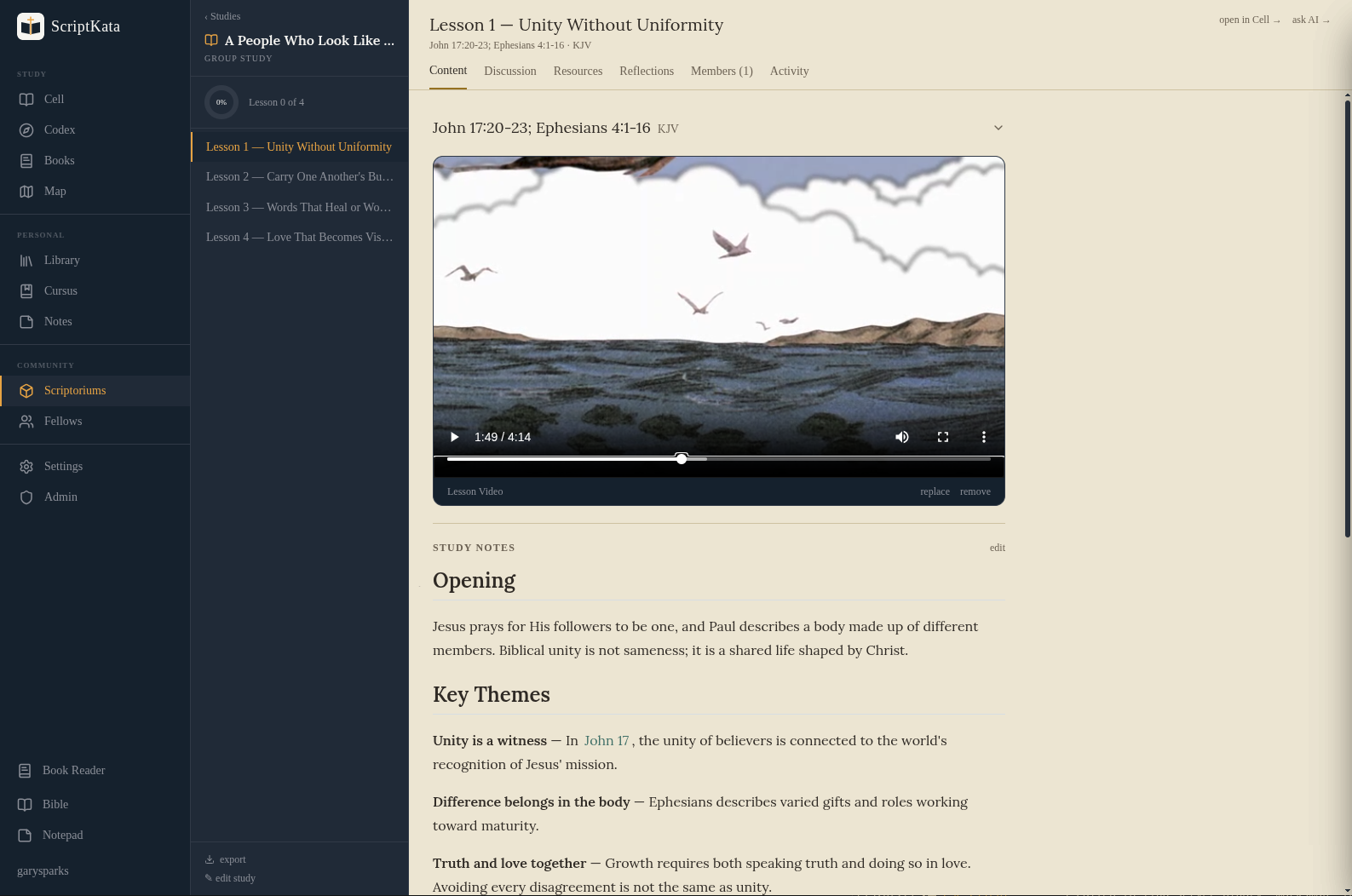
Inside a Scriptorium (or as a solo study) you can run structured multi-week Studies. Each study has lessons with a key verse, leader notes, threaded discussion, and attached resources. The AI drafting feature takes a topic and a number of weeks and generates a full lesson outline. Participants track completion per lesson.
Running It
cp .env.example .env
# Set POSTGRES_PASSWORD, SESSION_SECRET, and ANTHROPIC_API_KEY
docker compose up --build
Open http://localhost:8088. The first run detects no users and prompts you to create the admin account. The container auto-seeds KJV, BSB, TSK cross-references, Clarke’s Commentary, Strong’s Greek and Hebrew, and Henry Alford’s New Testament commentary on startup. Additional modules install from Admin.
The environment variables that matter:
| Variable | Notes |
|---|---|
POSTGRES_PASSWORD |
Required |
SESSION_SECRET |
Generate with openssl rand -hex 32 |
ANTHROPIC_API_KEY |
Required for all AI features |
ANTHROPIC_MODEL |
Defaults to claude-sonnet-4-6 |
MD_MODULES_PATH |
Drop a folder of .md files here and it appears as a module |
That last one deserves a note. The Markdown module system lets you add your own commentaries, dictionaries, or books without compiling a SWORD module. Drop a folder with a module.json and your .md files into MD_MODULES_PATH and it appears in every pane picker alongside the installed SWORD modules. No compilation, no toolchain.
my-commentary/
  module.json   ← { "name": "My Notes", "type": "COMMENTARY" }
  john.md       ← sections as ## chapter:verse headings
  romans.md
Commentary modules added this way are automatically included in the Study Assistant’s context.
What It Is and Isn’t
ScriptKata is not a Logos replacement. Logos has 30+ years of module development, Greek and Hebrew parsing tools, and a library of commercial content you can buy. ScriptKata has the entire CrossWire repository, which is substantial but not the same thing.
What ScriptKata is: a serious, self-hosted study environment that respects your data, runs on hardware you control, integrates AI grounded in your actual study context, and costs nothing beyond your own hosting and API usage. If you’ve been frustrated by apps that treat your annotations as their data, it’s worth looking at.
The code is on GitHub. Docker Compose, MIT licensed.