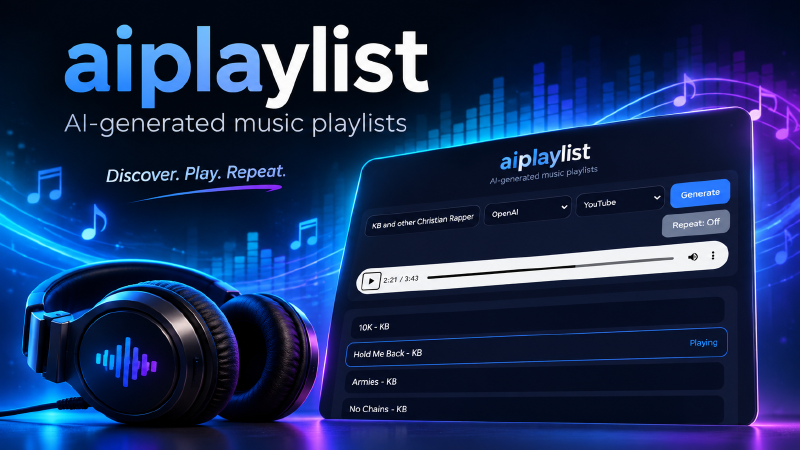
I have a lot of music on my server. I also have YouTube. What I don’t have is the patience to manually curate a playlist every time I want to match a mood. I want to type “chill downtempo for late night work” and have something play. That’s it. That’s the whole idea behind aiplaylist.
The Core Loop
The flow is simple:
- You describe what you want to hear
- An LLM turns that description into a list of songs
- The backend fetches audio for each song — either from YouTube via
yt-dlpor by matching against your local MP3 library - The frontend queues them up and plays them
Type something in. Hit Generate. Music plays.
lofi beats for studying
90s alternative road trip music
video game boss battle music
classic rock workout playlist
Any of those works. The LLM handles the translation from vibe to actual song titles.
The LLM Prompt
The backend supports two modes: OpenAI (GPT-4o) or any local LLM that speaks the OpenAI-compatible chat completions API — Ollama, llama.cpp, LM Studio, whatever you’re running.
The prompt is intentionally minimal:
f"Create a JSON playlist of {NUM_TRACKS} songs for: '{prompt}'. "
"Return ONLY JSON with a single key 'playlist' containing a list of 'Song Title - Artist' strings."
That’s it. No elaborate system prompt. The model knows music well enough that you don’t need to coach it. What you do need is clean JSON back — and LLMs being LLMs, they sometimes wrap the response in markdown code fences or return slightly different shapes. The safe_json function handles that:
def safe_json(text: str):
    text = text.replace("```json", "").replace("```", "").strip()
    try:
        data = json.loads(text)
    except Exception:
        return None

    if "songs" in data:
        return {"playlist": [
            f"{s.get('title','')} - {s.get('artist','')}".strip(" -")
            for s in data["songs"]
        ]}

    if "playlist" in data and isinstance(data["playlist"], list):
        return {"playlist": [str(i) for i in data["playlist"]]}
    ...
It normalizes three common response shapes — {"songs": [...]}, {"playlist": [...]}, and a bare list of objects — into a single format before anything else touches it.
Two Music Sources
YouTube
For YouTube mode, the backend fires off parallel yt-dlp searches — one per song — using a thread pool:
with ThreadPoolExecutor(max_workers=MAX_WORKERS) as executor:
    futures = {
        executor.submit(search_youtube, s): s
        for s in songs
    }
    for future in as_completed(futures):
        url = future.result()
        if url:
            tracks.append({"title": futures[future], "url": url})
Each search_youtube call runs yt-dlp ytsearch1:"Song Title - Artist" audio --get-url and returns a direct stream URL. The parallel execution matters here — twelve sequential YouTube lookups would be slow. This way they all go at once and you get the playlist as fast as the slowest single lookup.
If the LLM returns nothing useful and yt-dlp comes back empty, there’s a fallback: search for “chill music mix” and return whatever that finds. It’s inelegant but it means something always plays.
Local MP3s
The local mode indexes your music directory at startup using glob and optionally mutagen for ID3 tag reading:
def index_library():
    files = glob.glob(os.path.join(LOCAL_MUSIC_DIR, "**/*.mp3"), recursive=True)
    for p in files:
        title_tag = None
        artist_tag = None
        if MUTAGEN_AVAILABLE:
            m = MutagenFile(p, easy=True)
            if m:
                title_tag = m.get("title", [None])[0]
                artist_tag = m.get("artist", [None])[0]
        # Fall back to filename and directory structure
        title = title_tag or os.path.splitext(os.path.basename(p))[0]
        artist = artist_tag or (parts[0] if len(parts) >= 3 else "")
The fallback matters. A lot of ripped music has minimal or no ID3 tags but follows a sensible directory structure: Artist/Album/Track.mp3. The indexer uses that path structure to infer artist when tags are missing.
Matching works by normalizing both the LLM’s suggestions and the index entries — lowercase, strip punctuation — and comparing them. If the LLM suggests “Hotel California - Eagles” and your library has Eagles/Hotel California.mp3, it finds it.
If the LLM suggests songs you don’t have locally, the backend falls back to returning random tracks from your library. At minimum you’ll get music, even if it’s not exactly what was asked for.
The Proxy
YouTube’s stream URLs are served from Google’s CDN with domain restrictions — you can’t just drop them in an <audio src=""> tag and expect the browser to play them. For HLS streams (.m3u8 playlists), the proxy rewrites all the segment URLs to route through the backend:
if url.endswith(".m3u8"):
    r = requests.get(url, timeout=30)
    lines = r.text.splitlines()
    for i, line in enumerate(lines):
        if line and not line.startswith("#"):
            lines[i] = f"/proxy?url={quote(urljoin(url, line))}"
    return Response("\n".join(lines), media_type="application/vnd.apple.mpegurl")
The frontend never touches a Google CDN URL directly. It only ever talks to the local backend. This is what makes browser playback work without CORS issues.
The Frontend
No framework, no build step. One HTML file, vanilla JS, and a CSS custom property theme:
:root {
  --bg: #020617;
  --panel: #0f172a;
  --accent: #3b82f6;
  --accent2: #60a5fa;
}
The UI has three inputs: a text field for the prompt, a dropdown for the AI backend (OpenAI or local), and a dropdown for the music source (YouTube or local). Hit Generate, a spinner appears, and when the playlist arrives it renders as a list you can click through. Tracks auto-advance when one ends, with an optional repeat toggle.
It’s also keyboard navigable — arrow keys move between tracks, Enter plays. I added ARIA labels throughout since I was writing the markup anyway and it costs nothing.
Running It
The easiest path is Docker:
docker run \
  -p 8000:8000 \
  --env-file backend/.env \
  -v /mnt/server/Music:/music \
  ghcr.io/gssparks/aiplay:latest
Then open http://localhost:8000/app.
For local development I use a Nix flake that pulls in Python 3.12, yt-dlp, ffmpeg, and mutagen without touching anything on the host system:
python = pkgs.python312.withPackages (ps: with ps; [
  python-dotenv uvicorn fastapi requests mutagen
]);

packages = with pkgs; [ python ffmpeg yt-dlp ];
nix develop and everything’s there.
Environment Variables
| Variable | Description | Default |
|---|---|---|
OPENAI_API_KEY |
OpenAI API key | required for OpenAI mode |
LOCAL_LLM_URL |
Local LLM endpoint | http://localhost:8080/v1/chat/completions |
LOCAL_MUSIC_DIR |
Your MP3 library path | /music |
NUM_TRACKS |
Songs per playlist | 12 |
YT_WORKERS |
Parallel YouTube lookups | 4 |
What’s Next
A few things I want to add:
- Playlist saving — right now every playlist is ephemeral; saving them to disk would be useful
- Feedback loop — thumbs up/down per track so the LLM prompt can be refined on retry
- Voice input — describe the mood out loud instead of typing
- Home Assistant integration — trigger playlists from automations
The code is on GitHub if you want to run it yourself or poke around.